Crypto wallet security in 2026 is about more than protecting a password or keeping a seed phrase private. Cryptocurrency users face increasingly deceptive threats, including wallet drainers, malicious token approvals, signature phishing, fake airdrops, and address poisoning attacks.
These scams can target beginners and experienced investors alike, sometimes allowing attackers to steal digital assets without ever learning the victim’s wallet password or recovery phrase.
Unlike traditional bank transfers, blockchain transactions are generally irreversible once confirmed. If cryptocurrency is sent to a scammer or an attacker successfully transfers tokens through a malicious smart contract, recovering the funds can be extremely difficult. That makes understanding how wallet attacks work—and learning to recognise suspicious transaction requests—an essential part of participating in cryptocurrency, decentralised finance (DeFi), NFTs, and Web3 applications.
CHECK: Best Smartphones for Crypto Traders & Remote Workers in 2026: iPhone vs Samsung vs Google Pixel
Most people picture a crypto theft as a hacker breaking into a wallet. The reality is quieter and more human. In the typical case in 2026, nobody breaks anything. A victim signs a message that looks routine, or copies an address from their own transaction history, and the money leaves in seconds. On August 12, 2026, one wallet sent $2 million to an address that matched the intended one in its first and last characters but was not the same address, according to the alert feed of the security firm Scam Sniffer. The victim was not hacked. They were misdirected.
This guide explains the three or four mechanisms behind most self-custody losses today (token approvals, signature phishing, address poisoning and newer delegation tricks), what the best available data says about how big the problem is, and a practical routine that takes about 30 minutes and removes most of the risk. It is written for everyday users, traders and developers, and it separates measured data from our own judgment.
How this guide was researched
We used the primary reports where we could reach them: Scam Sniffer’s 2025 phishing report (published January 3, 2026) and its live alert feed, Chainalysis’s 2025 theft figures as reported by The Block, Cointelegraph and Infosecurity Magazine, and help-center and educational pages from the ENS project and Revoke.cash on managing approvals. Where a statistic reached us only through a secondary site, we say so.
Three limits matter. Statistics are lower bounds. Scam Sniffer says its numbers cover only wallet-drainer phishing on EVM-compatible chains, exclude direct hacks and exchange compromises, and are based on trackable activity, so unreported incidents are missing. Different trackers measure different things, so do not add figures from different firms together. And we did not test any wallet, extension or security product, so we describe categories of protection rather than rank products.
Crypto Wallet Security 2026
The 2026 threat picture in numbers
Wallet-drainer phishing fell sharply in 2025, but did not disappear. Scam Sniffer’s report shows the following for signature phishing on EVM chains:
| Measure | 2023 | 2024 | 2025 |
|---|---|---|---|
| Total losses | $295 million | $494 million | $83.85 million |
| Victims | 324,000 | 332,000 | 106,106 |
| Largest single theft | $24.05 million | $55.48 million | $6.5 million |
| Cases of $1 million or more | 13 | 30 | 11 |
That is an 83% fall in losses and a 68% fall in victims from 2024, with the average loss per victim at about $790. Scam Sniffer’s explanation is mixed. Wallet warnings and transaction simulation likely helped, but it also notes that losses tracked market activity: the third quarter, with the year’s strongest Ethereum rally, was the worst at $31.04 million, and the fourth quarter, as markets cooled, was the quietest at $13.09 million. Its reading is that phishing is a probability function of user activity, so more activity brings more victims.
Permit signatures were the dominant loss vector. Of the 11 cases above $1 million in 2025, Permit and Permit2 signatures accounted for $8.72 million, approvals for $5.62 million, plain transfers for $4.87 million, new EIP-7702 batch signatures for $2.54 million and a single setApprovalForAll for $1.23 million. The largest single theft, $6.5 million in September, was a Permit signature.
Personal wallets are still a major target. According to Chainalysis’s 2025 figures as reported by The Block, personal wallet compromises reached about 158,000 incidents involving at least 80,000 unique victims, with $713 million stolen, down from $1.5 billion in 2024. That is about 20% of all value stolen in 2025, against 44% in 2024. The reading Chainalysis offers is that attackers are targeting more users for smaller amounts per victim. Total theft across the industry was more than $3.4 billion in 2025, with three incidents making up 69%, led by the roughly $1.4 billion Bybit hack.
2026 so far. A security-statistics compilation (a secondary source) reports that TRM Labs recorded $972 million stolen across 207 hacks in the first half of 2026, its highest incident count for any six-month period, and that CertiK found wallet compromise to be the most costly first-half vector at $444.53 million across 33 incidents. Scam Sniffer’s January 2026 count of signature-phishing losses, relayed by a secondary site, was $6.27 million from 4,741 victims, which suggests the trend has not reversed, though one month proves little.
What these numbers do and do not say. Fewer tracked drainer losses do not mean you are safe. Scam Sniffer itself warns that part of the decline may reflect a shift to harder-to-track vectors such as private key compromises and targeted social engineering, and that the threat is splitting into mass phishing aimed at ordinary users and sophisticated supply-chain attacks aimed at high-value targets.
The Bybit theft is the best example of the second: Scam Sniffer says attackers compromised a Safe{Wallet} developer machine and injected code that spoofed the multisig signing interface, a single event 17 times the year’s total signature-phishing losses.
How people actually lose funds: the main attack types
Most of the techniques below target permission, not the wallet itself. Your keys stay safe, and you hand over spending rights.
1. Token approvals
When you use a decentralized exchange or lending app, the app usually needs permission to move a specific token from your wallet. That permission is a token approval. According to ENS’s help center, it stays in place until you revoke it, and Revoke.cash says approvals remain active indefinitely if you do not. Most are routine and necessary, but an approval granted to a malicious or later-compromised contract lets that contract take your tokens, even months later and without another prompt. Approvals can also be “unlimited,” which is why a single careless click can expose a whole balance of that token.
2. Signature phishing and Permit
Permit and Permit2 are “gasless” approvals: you sign an off-chain message that grants spending rights, and the attacker, not you, submits it on-chain later. Because signing costs no gas and creates no transaction in your history, it feels harmless. Scam Sniffer defines signature phishing as tricking victims into signing malicious transactions or messages (approve, permit, setApprovalForAll and similar) through phishing websites, and as noted above, Permit was the dominant signature type in 2025. A single signature on Ethereum drained $1.77 million of USDC from one wallet, per an alert in Scam Sniffer’s feed.
3. setApprovalForAll
For NFTs, setApprovalForAll lets a contract move every NFT you own in that collection. ENS’s guidance calls out this approval type on collections you do not recognize as a priority to revoke. A $1.23 million Uniswap V3 position theft in 2025 used this signature, per Scam Sniffer.
4. Address poisoning
The attacker generates an address that matches the first and last characters of one you use, then sends you a tiny transfer from it so it appears in your history. When you later copy “the address I used last time,” you copy theirs. There is no signature to analyze and nothing to approve, so it bypasses defenses built around signatures. The next section covers it in detail.
5. EIP-7702 delegation and batch signatures
After Ethereum’s Pectra upgrade, Scam Sniffer says attackers began exploiting EIP-7702, which lets a normal wallet temporarily behave like a smart-contract wallet, to bundle several malicious operations into one signature. It recorded two cases over $1 million in August 2025, totaling $2.54 million. Our practical takeaway, which is general guidance: treat any prompt that asks you to “authorize” or “delegate” your account to a contract with the same suspicion as an unlimited approval, and do not sign it unless you fully understand what it does.
6. Key compromise and social engineering
Some losses are simply stolen keys. Scam Sniffer’s alert feed records a suspected private key compromise on March 16, 2026 in which two wallets were emptied within 15 minutes for roughly $25 million. Keys are exposed by malware, fake software, sharing a seed phrase with a “support agent,” cloud storage of screenshots, or compromised developer machines. Chainalysis reports that North Korean actors stole a record $2.02 billion in 2025, often by embedding IT workers inside crypto services, and Scam Sniffer lists fake verification pages, malicious Telegram bots and DPRK IT-worker infiltration among the credential-stealing methods.
Here is a summary:
| Attack | What you do | What the attacker gets | Tell-tale sign | Best defense |
|---|---|---|---|---|
| Unlimited approval | Click “approve” on a fake or later-compromised app | Standing right to move that token | Approval for “max” amount to an unfamiliar contract | Limit approvals; audit and revoke regularly |
| Permit/Permit2 phishing | Sign a gasless message on a fake site | Spending rights, used later | Signature request with fields like spender, value, deadline | Refuse unreadable requests; use simulation |
| setApprovalForAll | Approve all NFTs in a collection | Every NFT in that collection | Request on an unfamiliar contract | Revoke; avoid unknown mints |
| Address poisoning | Copy an address from your history | The funds you send | Address matches only at the start and end | Never copy from history; verify the full address |
| EIP-7702 delegation | Sign an authorization or batch | Control over several actions | Prompts asking to delegate your account | Decline unless you understand it |
| Key theft | Install malware or share a seed phrase | Everything | Unsolicited “support” or fake installers | Hardware wallet; official downloads only |
How to read what you are about to sign
You do not need to be a developer to avoid most of these attacks. You need a few habits.
Know the difference between a transaction and a signature. A transaction costs gas and appears on-chain. A signature request, such as a Permit, is a message with no gas cost, and attackers use it precisely because it feels lightweight. Scam Sniffer’s guidance, echoed by third-party explainers, is that a signature request whose readable data includes fields like spender, value and deadline, or names like PermitSingle and PermitBatch, is a spending permission.
Learn the danger words. Approve (especially “max” or unlimited), increaseAllowance, Permit, Permit2, setApprovalForAll and any request to delegate or authorize your account are the ones that matter most.
Check who gets the permission. The “spender” or “operator” address is the party receiving rights. If you cannot tell who it is or why a simple action needs it, stop.
Use transaction simulation. Many modern wallets and security extensions show a preview of balance changes and flag known malicious domains before you sign. Scam Sniffer says wallet-level defenses such as built-in simulation and warnings are a likely factor in the 2025 decline in drainer losses. Simulation is not perfect, and Scam Sniffer has documented “transaction simulation spoofing” techniques that try to fool it, so treat it as a second opinion, not a guarantee.
Do not sign what you cannot read. If a hardware wallet or software wallet shows only an unreadable block of data, that is a reason to cancel, not to proceed.
Be most careful with surprises. Unexpected “claim your airdrop” pages, urgent “your wallet is at risk” messages and prompts that appear after you clicked a link rather than after you opened a site yourself are the typical delivery routes.
Address poisoning: the attack that needs no click
Address poisoning exploits a habit nearly everyone has: copying a recent address from history rather than from a saved or verified source. According to secondary reports, one victim lost about $50 million in USDT in December 2025 and another sent $12.25 million to a poisoned address in January 2026. Scam Sniffer’s feed shows a $2 million example on August 12, 2026. A secondary report citing the security firm Blockaid says poisoning attempts jumped from 628,000 in November 2025 to 3.4 million in January 2026, and another report cites Trust Wallet describing tens of thousands of attempts per hour early in 2026; both figures come from secondary sources, so treat them as indicative.
Defenses that work, in order of strength:
1. Never copy an address from your transaction history, a block explorer’s recent list or a chat message.
2. Use a saved address book or a name service entry that you created and verified yourself, and treat any new entry as untrusted until you have checked it.
3. Compare the entire address, not just the first and last characters. The whole point of the attack is that the ends match.
4. Send a small test transaction first for large transfers, and confirm receipt with the recipient through a separate channel.
5. Ignore and never interact with unsolicited tiny transfers or tokens that appear in your wallet. They are often bait.
6. Enable your wallet’s poisoning or lookalike-address warnings, if it offers them.
If a transfer goes to a poisoned address, the funds are generally unrecoverable, because blockchain transfers are irreversible. That is why prevention matters more than any recovery plan.
Audit and revoke your approvals: a step-by-step routine
A monthly approval audit is the single most effective maintenance habit. Here is the routine, which takes about 10 minutes per wallet.
1. Open a trusted approval tool. The two most widely used are Revoke.cash and the Token Approval Checker built into Etherscan (reached from its More menu, under Token Approvals, for Ethereum mainnet). Type the address yourself or use a bookmark, because phishing copies of these sites exist.
2. Connect or enter your address. Viewing approvals needs only your public address.Connect your wallet only when you are ready to revoke.
3. Choose the network. Approvals are per chain, according to ENS’s help page, so Ethereum mainnet approvals do not appear when you check Base or Arbitrum. Repeat for each chain you use.
4. Sort the list and look for the risky ones first. Prioritize approvals to contracts you do not recognize, unlimited token approvals and any setApprovalForAll on an NFT collection.
5. Click Revoke and confirm in your wallet. Each revoke is one transaction, so several approvals mean several wallet pop-ups, and each costs gas.
6. Know what revoking cannot do. It does not bring back anything already taken, and the gas you originally paid to grant the approval is not refunded. If an approval was already used, revoke the others before they are used too, then move your remaining funds to a new wallet.
7. If your seed phrase is exposed, revoking is not enough. ENS’s guidance warns that anyone with your seed phrase has full wallet access and can re-grant any approval you revoke. Move everything to a fresh wallet.
A practical rule: grant the smallest approval that works (a specific amount instead of unlimited), and revoke when you stop using an app.
Build a wallet setup that limits the damage

Security is mostly about limiting what any single mistake can cost. The following is general guidance rather than a tested ranking of products.
Separate your wallets by purpose.
| Wallet | Purpose | Holds | Rules |
|---|---|---|---|
| Vault | Long-term storage | Most of your assets | Hardware wallet; rarely connected to apps; never used to try new sites |
| Daily wallet | Regular DeFi and transfers | A limited working balance | Audit approvals monthly; small amounts only |
| Burner wallet | Mints, airdrops, unknown apps | Almost nothing | Treat as disposable; never connect to your vault |
The point is that a drainer that empties your burner wallet gets almost nothing, because the assets that matter sit somewhere the site cannot reach.
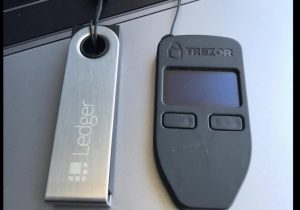
Use a hardware wallet for anything you cannot afford to lose, and read what it displays before approving. A hardware wallet protects your keys from malware on your computer, but it cannot protect you from approving a malicious request yourself, which is why reading the screen matters. The Bybit case shows the limit: a spoofed signing interface made a legitimate-looking request carry a malicious payload.
Protect your seed phrase. Never type it into a website, share it with a “support agent,” photograph it, store it in cloud notes or email it to yourself. Genuine wallet teams and exchanges do not ask for it. Store it offline, on paper or metal, in more than one secure place, and consider whether someone you trust could recover your funds if something happened to you. This is widely repeated safety advice, not a finding from our research.
Use an address book or name entries you have verified, not history. See the poisoning section.
Set spending habits. Move funds to your daily wallet in the amount you need rather than keeping everything exposed, and use a test transaction for large transfers.
Consider your threat model. If you hold significant value, a multisig or a smart-contract wallet with spending limits may fit, though these have their own complexity and, as Bybit shows, their own interface risks. We did not review specific multisig products.
Devices, browsers and links
Do not follow sponsored links to wallet or exchange sites. One of Scam Sniffer’s published case studies traces crypto-targeting malware from a Google ad to data theft. Type addresses yourself or use bookmarks you created, especially for approval tools and wallet downloads.
Install software only from official sources, and verify the publisher. Fake wallet apps, fake browser extensions and fake “verification” pages are a recurring route to stolen keys, according to Scam Sniffer’s summary of 2025 attacks.
Keep your device clean. Update your operating system and browser, avoid pirated software, use disk encryption and a strong device lock, and keep crypto activity on a device or browser profile that does not also run risky downloads. If you are choosing a phone for this, Check: Best Phones for Crypto & Web3 in 2026: Top Smartphones for Trading, Wallets, DeFi & Web3 Apps
Limit browser extensions. Each extension can read pages you visit. Remove ones you do not use, and keep your wallet extension updated.
Beware of social media and chat. Scam Sniffer lists compromised project X accounts posting phishing links and malicious Telegram bots among 2025’s attack routes. Treat links from DMs, group chats and even official-looking accounts as suspect until you confirm the destination.
Developers and job seekers: the fake-interview threat
If you work in or around Web3, you face an extra risk: attackers target people with access to code, keys or infrastructure. Chainalysis reports that North Korean actors stole a record $2.02 billion in 2025 and accounted for 76% of service-level compromises, often by embedding IT workers inside crypto services to gain privileged access. Scam Sniffer’s report also mentions stolen npm publishing credentials, self-replicating worms that backdoored hundreds of packages and exfiltrated environment variables, and the Bybit developer-machine compromise.
For individual developers and job seekers, that translates into practical rules, which are general guidance:
• Run unfamiliar code in a disposable environment, such as a virtual machine or a separate computer with no wallets, keys or cloud credentials, especially a take-home test from a recruiter you have not verified.
• Verify recruiters and companies through the company’s official site and known team members, not just a chat message. See our Remote Tech Jobs 2026 guide, which covers job-scam red flags.
• Keep keys and credentials off your development machine, use a hardware wallet and separate profiles, and pin and review dependencies. Our Best PC for Web3 Developers 2026 guide covers developer machine setup.
• Never sign a transaction or share a seed phrase as part of a hiring process.
If it is happening now: an incident checklist
Speed matters, but panic causes second mistakes. Work through these in order.
1. Stop signing anything. Do not respond to “recovery” offers in direct messages.
2. Move what is left, using a clean device if possible, to a brand-new wallet whose seed phrase has never touched the compromised device.
3. Revoke approvals from the old wallet (see the routine above). If the seed phrase may be exposed, move the assets first, because the attacker can re-grant approvals.
4. Record evidence. Save transaction hashes, addresses, the phishing site’s address and screenshots.
5. Report it. Tell your wallet provider and any exchange the funds touched, so they can flag addresses. File a report with law enforcement, such as the FBI’s Internet Crime Complaint Center in the United States or your national equivalent. One report on 2026 phishing says coordinated law enforcement action has frozen and returned funds in some cases; success is not guaranteed.
6. Beware of recovery scams. People who have lost funds are targeted by fake “recovery services” that demand upfront fees. This is general guidance, but it is consistent with the advance-fee pattern described in our scholarship and job-scam guides.
7. Scan the source. Work out how it happened (a site, a file, a message) so you do not repeat it, and check your other accounts.
A 30-minute security checkup
Use this list once a month. It is our own synthesis of the guidance above.
| Minutes | Task | Done |
|---|---|---|
| 0 to 5 | Update your operating system, browser, wallet app and extensions | |
| 5 to 15 | Open Revoke.cash or Etherscan’s Token Approval Checker for each wallet and chain; revoke unknown or unlimited approvals | |
| 15 to 20 | Review your address book; delete entries you cannot verify | |
| 20 to 25 | Confirm your vault funds sit in the hardware wallet and that your seed phrase backup is intact and unseen | |
| 25 to 28 | Remove extensions and apps you do not use; check which sites have wallet connections | |
| 28 to 30 | Check that two-factor authentication is on for exchange and email accounts, using an authenticator app rather than text messages where possible |
Common mistakes
• Treating “gasless” as “harmless.” Signature requests can hand over spending rights without a visible transaction.
• Copying addresses from history. The core of address poisoning.
• Granting unlimited approvals by default and never revoking them.
• Keeping all assets in one hot wallet that connects to every new app.
• Believing hardware wallets make you immune. They protect keys, not judgment.
• Clicking sponsored search results for wallet or approval tools.
• Sharing a seed phrase with “support.” Real support does not ask for it.
• Running recruiters’ code on your main machine.
• Trusting a simulation blindly. Simulation spoofing exists.
• Paying a “recovery agent.” It usually compounds the loss.
Frequently asked questions
What is a token approval?
A permission that lets a smart contract move a specific token from your wallet. It stays active until you revoke it, so old and unlimited approvals are a risk.
How do I check which apps can spend my tokens?
Use a tool such as Revoke.cash or Etherscan’s Token Approval Checker, enter your address, pick the network and review the list. Check each chain separately, because approvals are per chain.
Does revoking an approval cost money?
Yes. Each revoke is a transaction that costs gas on that network, and the gas you paid to grant the approval is not refunded.
What is a Permit signature, and why is it dangerous?
A Permit is an off-chain signature that grants spending rights without a normal on-chain approval. Attackers use it on phishing sites because it costs no gas and leaves no immediate transaction. Permit was the dominant loss vector in Scam Sniffer’s 2025 data.
What is address poisoning?
An attack in which a lookalike address is planted in your transaction history so you copy it by mistake. Prevent it by never copying from history and by verifying the full address.
Can I get my crypto back after a scam?
Often not, because blockchain transfers are irreversible. Reporting quickly gives some chance of freezing funds in certain cases, but there is no guarantee, and “recovery services” that charge upfront fees are a common scam.
Is a hardware wallet enough?
It greatly reduces key theft but does not stop you from signing a malicious request. Read what it shows, and combine it with approval hygiene.
Did wallet-drainer losses really fall in 2025?
Yes, by Scam Sniffer’s count they fell 83% to $83.85 million, but the data covers only trackable drainer phishing, and other kinds of theft, including private key compromises and large hacks, remain significant.
What is EIP-7702 phishing?
An attack that abuses the delegation feature introduced after Ethereum’s Pectra upgrade, bundling several malicious actions into one signature. Decline any prompt asking you to delegate your account unless you understand it.
Is it safe to connect my wallet to a site just to look around?
Connecting alone usually does not move funds, but connecting leads to signature prompts, so use a burner wallet for unfamiliar sites and never sign what you cannot read.
The 2026 picture is not that crypto is getting easier or harder to steal. It is that attackers have shifted from breaking wallets to borrowing permission and exploiting habits. Tracked drainer losses fell 83% in 2025, personal wallet thefts still totaled $713 million by Chainalysis’s count, and the biggest dollar losses came from compromises of services and developer machines that individuals cannot control.
What an individual can control is permission hygiene: reading what you sign, auditing and revoking approvals, never copying addresses from history, separating wallets by purpose and keeping real funds on a hardware wallet.
Treat the 30-minute checkup as routine, not as an emergency measure. Check the sources below, confirm the specifics for your wallet and chain, and remember that no tool or tip makes self-custody risk-free.
Sources
URLs below were returned during our October 27, 2026 research. Secondary sources are labeled; verify their figures against the primary reports before quoting.
1. Scam Sniffer 2025: Crypto Phishing Losses Fall 83% to $84 Million. Scam Sniffer, January 3, 2026. Losses, victims, signature types, EIP-7702 trend, methodology limits, Bybit and supply-chain notes.
2. Scam Sniffer: alerts and research. Scam Sniffer (alert entries for March 16, 2026 key compromise, August 12, 2026 address poisoning and a $1.77M permit phishing case).
3. Crypto hacks hit $3.4 billion in 2025, attacks on individual wallets rise: Chainalysis. The Block, December 18, 2025.
4. North Korea steals over $2bn in crypto in 2025. Infosecurity Magazine (Chainalysis figures; personal wallets 20% of stolen value).
5. Crypto losses hit $3.4 billion in 2025. Cointelegraph (Chainalysis; three incidents 69% of losses; DPRK $2.02B).
6. How do I revoke token approvals? ENS Help Center. Approvals persist, per-chain, one transaction per revoke, gas not refunded, seed phrase caution.
7. How to Revoke Token Approvals and Permissions. Revoke.cash Learn. Approvals stay active indefinitely; Etherscan Token Approvals page.
8. Web3 security statistics. DeepStrike (secondary compilation of TRM Labs, CertiK, Chainalysis and FBI data).
9. Crypto Phishing in 2026: Fewer Nets, Bigger Fish. hoge.gg (secondary; January 2026 signature-phishing figures and poisoning cases).
10. Crypto Phishing Campaigns in 2026: Inside the Drainer Economy. hoge.gg (secondary; law-enforcement freezes).
11. Wallet Drainers & Signature Scams: How They Actually Work. TrustSwap (secondary; Trust Wallet poisoning statement via The Block).
12. Revoke Crypto Token Approvals: 10 Steps, 30 Min [2026]. Shattered.io (secondary; Blockaid poisoning telemetry).
13. Crypto Wallet Security: 12 Steps After $713M Stolen [2026]. Shattered.io (secondary; per-victim average calculation).