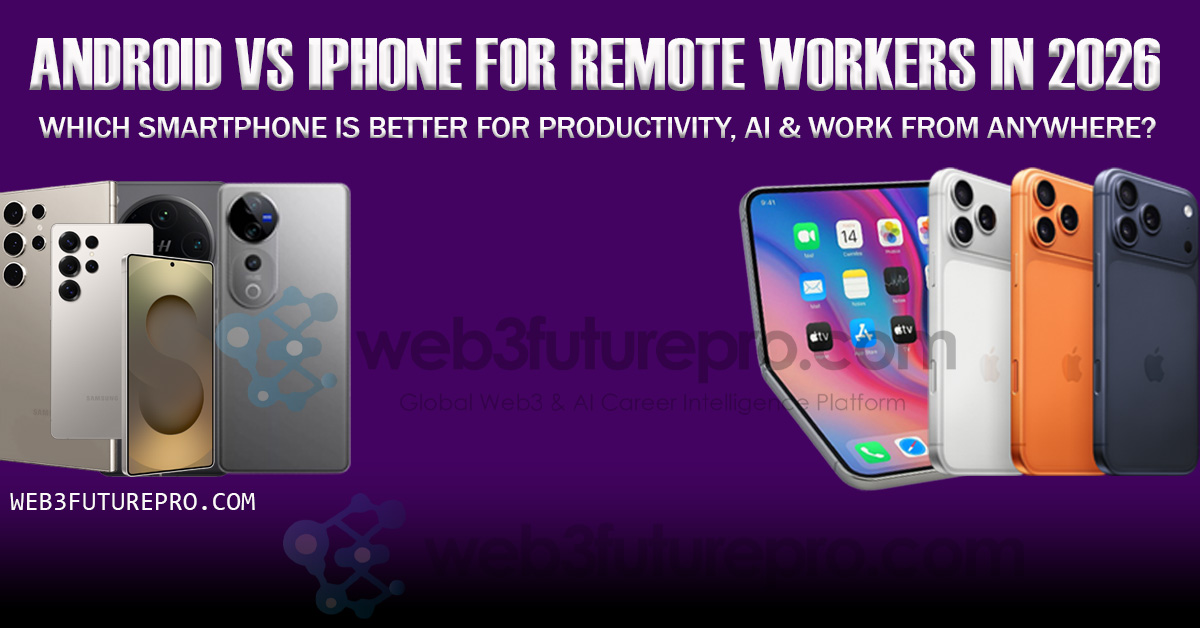
Android vs iPhone for remote workers in 2026 is no longer simply a debate about camera quality, app selection, or personal preference. Smartphones have become important productivity tools for people working from home, coworking spaces, cafés, hotels, and while traveling between countries. For remote professionals, the better platform needs to handle communication, video meetings, document editing, cloud services, artificial intelligence, multitasking, security, and seamless connections with other work devices.
The role of AI makes the comparison even more interesting in 2026. Apple’s latest generation of Apple Intelligence and Siri AI is deeply integrated across iPhone and Apple’s wider ecosystem, with capabilities designed to understand personal context and perform actions across apps. Apple also emphasizes on-device processing and privacy for AI workloads.
Android, meanwhile, has developed a highly competitive AI productivity ecosystem. Gemini Intelligence is available on qualifying devices such as the Pixel 11 series and Samsung’s latest foldables, with capabilities for multi-step tasks and advanced AI processing. Samsung’s Galaxy AI also provides tools for meetings, summaries, translations, note-taking, search, and screen-based assistance.
For remote workers, the operating system is only part of the equation. Cross-device integration can have a major impact on productivity. iPhone users working with a Mac benefit from Apple’s tightly integrated ecosystem, while Android users increasingly have powerful connections to Windows PCs and Google’s services. Google’s newly announced Googlebook laptops are also designed around deeper Android integration, including app casting, file access, notifications, and app handoff between Android phones and computers.
Android can also offer advantages for professionals who need more flexibility and multitasking. Samsung’s ecosystem, for example, supports Android Work Profile for separating business applications and data from personal content, while Samsung’s larger devices and foldables provide additional options for mobile productivity.
Security is another major consideration for people working remotely. A smartphone used for work may contain corporate emails, cloud-storage credentials, authentication codes, client information, financial applications, and sensitive documents. Both platforms provide strong security technologies, but the exact experience depends on the device, operating system version, employer’s management system, and applications being used.
Remote workers also have different requirements. A freelance writer may prioritize keyboard and AI tools, while a software developer may care more about terminal and cloud-development access. A digital marketer may need social-media management, design and analytics applications, while a business executive may prioritize video calls, email, document management, security, and battery life.
This makes Android vs iPhone for remote work a more nuanced comparison than simply asking which operating system is better. The answer can change depending on whether your priorities are AI, productivity, multitasking, ecosystem integration, customization, security, business management, or working across multiple devices.
This guide compares Android and iPhone for remote work, productivity, AI, communication, multitasking, security, battery life, cloud services, laptop integration, and work-from-anywhere lifestyles to help professionals understand which platform better fits their particular workflow.
Android vs iPhone for Remote Workers in 2026: Productivity, AI & WFH Compared
Remote work turned the smartphone into something it was never originally designed to be: a primary work terminal. For a growing share of remote and hybrid professionals, a phone is now where the workday actually starts — triaging Slack before the laptop opens, joining a call from a train platform, drafting a reply from a coffee shop, or in a genuine pinch, running an entire workflow from a phone plugged into a hotel-room TV. That shift has quietly turned “Android or iPhone” from a taste-driven debate into a question with real productivity consequences.
The honest answer in 2026 is that neither platform is categorically better — but the two ecosystems have pulled meaningfully further apart on specific capabilities that matter disproportionately to remote workers: true desktop-style multitasking, on-device AI that can chain multi-step tasks, and how well the phone extends into a full external workstation when you need one. This article breaks down exactly where each platform wins, where the marketing outpaces the reality, and how to choose based on how you actually work rather than which logo you’re used to.
The Core Question Has Changed Since the Last Cycle
For most of the smartphone era, the Android-versus-iPhone debate centered on camera quality, app ecosystem size, and brand loyalty. According to a 2026 productivity comparison published by AI writing tool Wispr Flow, that framing has matured: the real question in 2026 isn’t which platform is objectively superior, it’s which platform better supports a specific person’s working style — and the meaningful differences increasingly show up in multitasking, customization, cross-device handoff, and workflow automation rather than in raw hardware specs, which have converged considerably across both ecosystems.
That convergence matters for remote workers specifically. A few years ago, iPhone’s performance and security advantages were wide enough to settle the debate for professional use on their own. In 2026, the performance gap has narrowed to the point where it rarely decides anything — which means the deciding factors have shifted toward software capabilities that directly affect how you work away from a desk.
Multitasking and Desktop Mode: The Widest Gap on This List
If there’s one category where the two platforms have genuinely diverged rather than converged, it’s the ability to turn a phone into something resembling a real computer when you plug it into a monitor — a capability that matters enormously for remote workers without a dedicated office setup.
Samsung DeX remains the most mature implementation of this idea in the entire smartphone industry. According to Samsung’s own product documentation, DeX transforms a compatible Galaxy device into a PC-like workspace with resizable, drag-and-drop windows, a taskbar, and full keyboard-and-mouse support, either wired through a USB-C to HDMI connection or wirelessly to a smart monitor or TV. It supports genuine multi-app workflows — running a browser, a document editor, and a messaging app in separate resizable windows simultaneously — and works across a wide range of Galaxy devices, extending usability to hardware people already own rather than requiring the latest flagship. A detailed 2026 technical comparison published by tech analysis site FaceOfIt does flag a real caveat worth knowing before relying on it: Samsung’s One UI 8 update, built on Android 16, introduced feature regressions and usability bugs that have frustrated DeX’s core prosumer user base, meaning the experience isn’t universally smooth across every recent software update.
Native Android desktop mode, separate from Samsung’s implementation, arrived with Google’s Pixel 10 generation and Android 16. FaceOfIt’s analysis describes this as still a “buggy, developer-focused beta” that defaults to basic screen mirroring out of the box rather than a polished, ready-to-use desktop environment — a meaningfully less mature experience than Samsung’s years-refined DeX.
iPhone has no desktop mode in 2026, and this is worth stating plainly rather than hedging, because it directly contradicts persistent rumors that shaped expectations going into this year. A detailed August 2026 technical investigation from ExternalDisplayiPhone.com confirms that plugging a stock iPhone into an external monitor in 2026 produces only a phone-shaped mirror floating between black bars — not a windowed desktop environment. Persistent, credible rumors throughout 2025 pointed to a “Stage Manager-like” feature shipping with iOS 19, expected to be limited to Pro models, but according to the same investigation, unfinished code for this feature was found and briefly exploitable in iOS 26.1 before Apple closed off that exploit path in the 26.2 beta — meaning the feature exists in some unfinished form inside Apple’s code but has not shipped to users, and there’s genuine uncertainty about whether or when it will.
For remote workers who occasionally need to turn a phone into a real workstation — at a co-working space, in a hotel room, or anywhere a laptop isn’t practical to carry — this is currently the single clearest, most practical differentiator between the platforms, and it favors Android, specifically Samsung, decisively.
Desktop Mode Comparison
| Capability | Samsung DeX | Native Android (Pixel/Android 16) | iPhone (iOS 19/26) |
|---|---|---|---|
| True windowed multitasking on external display | Yes, mature | Beta, mirroring by default | No — mirror only |
| Wireless display support | Yes | Limited | No |
| Keyboard/mouse/trackpad support | Full | Partial | Mirror-only, no independent windows |
| Consistency across recent updates | Some regressions reported in One UI 8 | Still developer-focused beta | Feature not shipped |
| Works across older devices | Yes (Galaxy S8+) | Limited to newer Pixel hardware | N/A |
AI Assistants: Chained Tasks vs. Polished Single Tasks
Remote work increasingly means delegating small cognitive overhead to an AI assistant — summarizing a thread, drafting a reply, setting a context-aware reminder — and the two platforms take genuinely different approaches here in 2026.
According to a 2026 comparison from tech publication GenZeBlog, Apple is upgrading Siri under the Apple Intelligence umbrella to be more conversational and capable of multi-step tasks, while Google is tightly integrating Gemini into Android’s system-level Assistant, giving it stronger reasoning and direct app-control capabilities. The practical difference shows up in exactly the kind of compound request remote workers make constantly: GenZeBlog’s real-world test asked each assistant, “What’s the weather tomorrow, and if it’s rainy, add an umbrella reminder and show me nearby indoor cafés?” Siri, on older setups, could answer the weather and possibly set the reminder but often couldn’t chain the full sequence smoothly, while Gemini-powered Assistant was designed to understand and execute the full multi-step chain — checking the forecast, creating the reminder, and surfacing café suggestions — within a single flow.
A separate 2026 field review from IT consultant-run publication Guide Techly, based on six months of parallel daily use of a Pixel 10 Pro and an iPhone 17 for real consulting work, makes a specific, practically grounded claim: Google’s Gemini Nano on-device model runs without an internet connection and handles real work tasks directly — summarizing a long Slack thread, transcribing a Zoom call locally, or drafting a Gmail reply — in a way the reviewer found genuinely more useful day-to-day than Apple Intelligence’s current feature set. That same review’s blunt verdict: “for pure software and AI features, Pixel” — a directly stated preference from someone testing both platforms specifically for remote IT consulting work, not a general audience.
It’s worth being fair to iOS here too. According to GenZeBlog’s broader comparison, Apple’s system-level writing tools — grammar correction, tone adjustment, text expansion and summarization — are tightly integrated and genuinely polished, and Apple’s Focus mode, which learns usage patterns to suggest context-aware profiles like Work, Sleep, or Personal based on time and location, is a mature feature that predates most of Android’s AI push. The pattern that emerges consistently across 2026 sources: Android tends to win on the number of AI tools and their ability to chain multi-step actions, while iOS focuses on a smaller set of tightly polished, single-purpose experiences.
Multitasking on the Phone Itself, Not Just on External Displays
Beyond desktop-mode extensions, day-to-day on-device multitasking also favors Android in most 2026 comparisons. Wispr Flow’s productivity analysis credits Android with true multitasking through split-screen support, flexible file management, and deep automation possibilities through apps like Tasker, which lets users build custom automated workflows that respond to location, time, or app triggers — a capability with no direct iOS equivalent. Guide Techly’s field review adds a specific detail relevant to remote workers juggling multiple apps: both Pixel and Samsung devices support genuine split-screen with two apps positioned side by side, plus floating pop-up windows for a third app layered on top — a combination iOS still does not offer natively on the iPhone itself.
Apple’s corresponding strength is ecosystem cohesion rather than raw multitasking power. Wispr Flow’s analysis highlights Apple’s Handoff feature — the ability to start a task on one Apple device and pick it up seamlessly on another — as a genuine advantage for anyone deeply embedded in the Mac and iCloud ecosystem, alongside consistent performance and Apple’s traditionally stronger security architecture.
Battery, Charging, and the Realities of Working Away From a Desk
For remote workers who aren’t tied to a desk outlet all day, charging speed and battery behavior matter more than they do for office-based employees. According to a 2026 business-productivity comparison from Geeky Gadgets, iPhones remain reliable in overall battery performance but continue to lack the fast-charging speeds that have become standard across much of the Android ecosystem — a gap that shows up specifically in how quickly a device recovers from a low-battery moment between meetings, rather than in total battery life across a full day.
Cross-Platform Tools Are Narrowing the Gap — But Not Closing It
It’s worth being honest that several genuinely useful productivity tools now work equally well on both platforms, which softens some of the differences described above. Wispr Flow’s own product — a voice-dictation and writing tool used across both ecosystems — is cited as an example of how the best productivity tools increasingly work identically regardless of platform, meaning the choice is “less about the tool and more about which environment matches your working style,” in the words of that comparison. Video calling, cloud storage, and most major project-management apps (Slack, Notion, Asana, Google Workspace) function comparably well on both platforms in 2026, which means the platform-specific differences that remain — desktop mode, assistant capability, multitasking depth — carry proportionally more weight in the decision than they would have five years ago, precisely because so much else has been equalized.
Security and Privacy: Different Philosophies, Both Credible
For remote workers handling sensitive client data, company information, or financial details outside a controlled office network, security architecture is a legitimate productivity concern, not a separate topic. Apple’s iPhone has traditionally led on this front through tight hardware-software integration and consistent security update delivery, and that reputation remains largely intact in 2026 comparisons. Android’s security model differs by manufacturer and update commitment — Google’s own Pixel line benefits from direct first-party patches with no manufacturer delay, similar in structure to Apple’s approach, while other Android brands vary considerably in how quickly and how long they deliver security updates. Guide Techly’s review notes a specific option worth knowing for privacy-focused remote workers: GrapheneOS, a security-hardened alternative operating system that runs on Pixel hardware, is described by that reviewer as “the most private mobile OS available” — a genuinely niche option, but a real one for remote workers in fields where data sensitivity is a serious operational concern (legal, healthcare, finance, or handling client credentials).
Regulatory Context: The EU DMA’s Quiet Effect on Both Platforms
A less-discussed factor shaping both ecosystems in 2026 is the EU’s Digital Markets Act, which has pushed Apple toward changes in areas like third-party app store access and default app choices within EU jurisdictions specifically — part of a broader “2026 Platform Overview” of regulatory shifts tracked by tech comparison site TechSphereDaily. For remote workers based in or frequently working across EU markets, this has begun narrowing some historical iOS restrictions, though the practical day-to-day impact for most productivity workflows remains modest compared to the multitasking and AI differences described above.
Which Platform Fits Which Kind of Remote Worker
Choose iPhone if: you’re already embedded in the Mac and iCloud ecosystem and value seamless Handoff between devices; you prioritize a single, polished set of AI writing and Focus tools over a larger number of more powerful ones; you place a premium on consistent, predictable security update delivery; and you don’t have a strong, recurring need to turn your phone into a full external workstation.
Choose Android (specifically Samsung or Pixel) if: you regularly need real desktop-style multitasking on an external monitor when away from a laptop — Samsung DeX is currently the clear leader here; you want an AI assistant capable of chaining multi-step tasks and running useful models on-device, offline; you rely on true split-screen and floating-window multitasking directly on the phone; or you want the flexibility of a security-hardened alternative OS like GrapheneOS for particularly sensitive client work.
Quick-Reference Comparison for Remote Work
| Category | iPhone | Android (Samsung/Pixel) |
|---|---|---|
| External monitor / desktop mode | Mirror only, no true desktop | Samsung DeX: mature; Pixel: beta |
| AI multi-step task chaining | Improving via Apple Intelligence, less consistent | Gemini Nano/Assistant, more consistent per 2026 field tests |
| On-device split-screen multitasking | Not natively supported | Native split-screen + floating windows |
| Cross-device handoff (same-brand ecosystem) | Strong (Mac/iCloud) | Improving, less unified across brands |
| Charging speed | Reliable but slower | Generally faster across the ecosystem |
| Security update consistency | Strong, consistent | Strong on Pixel; varies by other Android brands |
| Automation depth (e.g., Tasker) | Limited | Extensive |
Risks and Honest Caveats
None of these comparisons are static, and it’s worth naming the uncertainty directly. Apple’s desktop-mode feature may still ship in a future iOS update — unfinished code for something resembling Stage Manager on iPhone clearly exists, based on the exploit findings covered above — which would meaningfully close the gap described in this article’s most decisive category. Samsung DeX, despite its maturity advantage, has real reported reliability regressions in its most recent software update, meaning “which platform has the better desktop mode” and “which platform’s desktop mode works reliably today” aren’t quite the same question. And AI assistant capability across both platforms is evolving quickly enough that specific feature comparisons from early or mid-2026 may already be dated by the time this article is read later in the year — a genuine limitation of any smartphone comparison in a fast-moving AI product cycle.
The Android-versus-iPhone decision for remote workers in 2026 comes down to a smaller, more specific set of questions than it used to: do you need a real desktop when you plug into a monitor, do you want an AI assistant that chains multi-step tasks or one that polishes single tasks beautifully, and how deeply are you already invested in one ecosystem’s other devices? Android — specifically Samsung for desktop-mode maturity and Pixel for AI capability and update consistency — currently holds a genuine, well-documented edge in the specific capabilities that matter most for working away from a fixed desk. iPhone remains the stronger choice for anyone deeply committed to the Apple ecosystem who values consistency and polish over raw flexibility. Neither answer is wrong — but for the first time in several years, the gap between the two platforms on remote-work-specific capability is wide enough, and well-documented enough, that the choice should be made on evidence rather than habit.
The Android vs iPhone debate for remote workers in 2026 has become more complicated because both platforms now offer powerful AI and productivity capabilities. The better choice depends less on the brand name and more on the worker’s existing ecosystem, applications, workflow, security requirements, and preferred way of working.
For professionals already using a Mac, iPad, and Apple Watch, the iPhone can provide a particularly cohesive experience. Apple’s latest Apple Intelligence platform and Siri AI are designed to work across Apple’s devices and applications, while Apple’s approach places significant emphasis on privacy and on-device processing.
Android offers a different set of advantages. The platform provides greater hardware variety and customization, while Google’s Gemini and Samsung’s Galaxy AI increasingly provide sophisticated productivity features. Samsung’s business tools include meeting transcription and summaries, note assistance, translation, screen-based Gemini interactions, and other AI features designed for workplace use.
Multitasking is another important consideration. Samsung’s premium Android devices and foldables can be particularly useful for workers who frequently need multiple applications or information sources visible at the same time. Samsung’s 2026 foldables also introduce AI-driven automation features capable of handling multi-step tasks across supported applications.
The wider Android ecosystem is also evolving rapidly. Google’s new Googlebook platform is designed to create closer integration between Android phones and laptops, including app casting, file access, notification synchronization, and an app handoff feature. This could become increasingly relevant for remote professionals who want a more connected Android-to-computer workflow.
Security should remain a priority regardless of platform. Remote workers should use strong passwords, biometric authentication, multifactor authentication, current software, reputable applications, encrypted connections where appropriate, and employer-approved device-management tools. Android’s Work Profile, for example, can separate corporate applications and data from personal content on supported managed devices.
For AI-heavy workflows, both platforms are becoming increasingly capable. Android currently offers deep integration with Gemini across Google’s ecosystem, while Apple is expanding Apple Intelligence and Siri AI across iPhone and its other devices. AI availability can vary by device, language, country, and software version, so workers should check the exact capabilities available on the phone they plan to purchase.
Ultimately, there is no single smartphone platform that is perfect for every remote worker. The better choice depends on the complete workflow:
- Mac-focused professional → iPhone integration may be particularly valuable.
- Google Workspace user → Android and Gemini can provide a highly integrated workflow.
- Heavy multitasker → Premium Android devices and foldables offer strong flexibility.
- Privacy-focused professional → Both platforms provide substantial security and on-device AI capabilities, but their approaches differ.
- AI-focused worker → Compare the specific Apple Intelligence and Gemini features available on the exact devices and in your country.
For people who work from anywhere, the most important smartphone is ultimately the one that reduces friction between communication, AI assistance, documents, meetings, authentication, cloud services, and the rest of their digital workspace. In 2026, both Android and iPhone are capable of doing that—the deciding factor is how well the platform fits the way you actually work.
References
- Wispr Flow — “Android vs iPhone: Which is better for productivity in 2026?“
- Geeky Gadgets — “Should You Switch? iPhone vs Android for Business and Productivity in 2026“
- GenZeBlog — “iOS vs Android AI Comparison 2026 – Which is Better for Daily Use?“
- Guide Techly — “iPhone vs Android in 2026 – Which Is Better for Productivity?“
- TechSphereDaily — “iPhone vs Android 2026: Ultimate Platform Comparison“
- FaceOfIt — “List of Phones with External Monitor: DeX, Pixel & iOS Support“
- ExternalDisplayiPhone.com — “Did iOS 26 Add Desktop Mode to the iPhone? The Real Answer“
- Samsung — “Samsung DeX” official product documentation
- Redo Device — “iPhone vs Android: Find the Right Phone for You in 2026“