Choosing the best computers for AI engineers in 2026 requires more than comparing processor speeds, storage capacity, or laptop brands. Artificial intelligence development places unique demands on computer hardware, especially when engineers train machine-learning models, experiment with large language models (LLMs), develop neural networks, process large datasets, or run deep-learning applications locally.
Unlike ordinary office work, many AI workloads depend heavily on graphics processing units (GPUs), which can perform the parallel calculations required for deep learning. GPU performance and video memory (VRAM) can determine which models fit on a computer, how quickly experiments run, and whether certain training or inference tasks are practical. NVIDIA RTX-powered laptops and desktop workstations are particularly relevant for developers using CUDA-compatible frameworks and tools such as PyTorch. However, Apple Silicon computers can also be attractive for local inference and development workflows that benefit from unified memory, provided the required software supports Apple’s computing architecture.
Last researched: October 19, 2026
For most of the last decade, buying a computer for machine learning meant one question: which NVIDIA GPU can I afford? In 2026 the question has changed. Large language models made memory capacity the first constraint, memory bandwidth the second, and the software ecosystem the tiebreaker, and a new class of machines built around large pools of unified memory has arrived to answer it. In the past two months alone Apple launched a Mac Studio with up to 512GB of unified memory, NVIDIA began selling Windows laptops with up to 128GB of unified memory, and a memory shortage pushed flagship GPU prices far above their launch figures.
CHECK: Best Laptops for Remote Work in 2026: Top Picks for Professionals
This guide explains how to think about that landscape and which machines make sense for which kind of AI engineer. It also states plainly what we could and could not verify, because this is a category full of vendor claims, shifting prices and benchmarks that depend heavily on the model and software used.
How this guide was researched
We did not run our own benchmarks. We relied on vendor announcements and spec pages, launch coverage, and a mix of technology publications and independent blogs gathered on October 17, 2026. Many of the pricing and availability reports come from smaller sites, and they sometimes disagree, so we give ranges and name the source where a figure matters.
Three limits are worth stating up front. First, vendors publish AI performance numbers under favorable conditions (for example, FP4 precision or specific models), and we treat those as ceilings. Second, products that launched days ago, such as the RTX Spark laptops, have little or no independent testing yet, so we describe them as promising but unproven. Third, we did not verify cloud GPU prices, so the cloud comparison is a decision framework rather than a cost calculation. Figures for memory needs are general rules of thumb unless a source is cited.
What AI engineers actually need from a computer
“AI engineer” covers very different jobs, and the right machine depends on which one you do.
Cloud-first development. Many AI engineers train and serve models on rented or company GPUs and use their own machine as a thin client with an editor, terminal, notebooks and a browser. For this work a reliable laptop with good battery life is the right purchase, and spending thousands on local GPU hardware is waste.
Local inference and agent development. Running open-weight language models locally, for privacy, cost control, offline work or experimentation, is where memory capacity matters most. Model weights must fit in memory with room for the context cache and the operating system.
Fine-tuning. Adapting a model with techniques such as parameter-efficient fine-tuning needs more memory than inference. NVIDIA says its DGX Spark can fine-tune models up to 70 billion parameters at 4-bit precision, per a Techstrong summary of the vendor’s claims, which illustrates the scale of memory involved.
Classical machine learning and smaller deep-learning training. Computer vision, tabular modeling and smaller networks benefit from a capable GPU and CUDA support, but rarely need hundreds of gigabytes of memory.
Data engineering and evaluation. Large datasets favor RAM, fast storage and CPU cores more than GPUs.
The key principle: buy for the workload you will actually run weekly, not the one you fantasize about. Serious large-scale training still happens on clusters, and no desktop machine replaces that.
The three numbers that decide everything
1. Memory capacity
A model’s weights must fit in the memory the GPU can address. As a rough rule, the weights need about two bytes per parameter at 16-bit precision and roughly a quarter of that at 4-bit precision, plus room for the context cache and overhead. One analysis of NVIDIA’s DGX Spark notes that a 70-billion-parameter model needs about 140GB at full 16-bit precision, which is why it will not fit on any consumer graphics card. Treat these as approximations; quantization methods, context length and software overhead change the real figure.
This is why unified-memory machines matter. In a typical PC, the system memory and the graphics card’s memory are separate, and a card such as the GeForce RTX 5090 has 32GB. In a unified design, the CPU and GPU share one large pool.
2. Memory bandwidth
Generating text token by token is often limited by how fast the model’s weights can be read from memory. Capacity lets a model load; bandwidth determines how fast it runs. The reported figures differ enormously:
- NVIDIA DGX Spark: 273GB/s of memory bandwidth on 128GB of LPDDR5x.
- Apple Mac Studio with M5 Max: 614GB/s, with up to 128GB.
- Apple Mac Studio with M5 Ultra: 1.2TB/s, with up to 512GB.
- GeForce RTX 5090: 1.79TB/s, but only 32GB of GDDR7, per TweakTown’s reporting.
One analysis of DGX Spark describes it as trading bandwidth for capacity, estimating it runs several times slower than discrete Blackwell cards on matching workloads. That is a single source’s estimate, but the direction matches the specifications.
3. Software ecosystem
Most deep-learning code is written for NVIDIA’s CUDA. Apple’s chips use Metal and Apple’s MLX framework, and many popular tools support them, but not every library or workflow does. A faster or larger machine you cannot run your tools on is worse than a slower one you can. We return to this below.
The 2026 market: shortages, price swings and new platforms
Three developments define the buying environment this autumn.
A memory shortage is distorting prices. Reports from several outlets say AI data-center demand is absorbing memory production, pushing up the price of memory-heavy products. The GeForce RTX 5090 launched at $1,999 in January 2025. Since then, reported prices have varied widely by source and date: one tracker cited a best observed listing near $3,979, another reported street prices around $2,999 in mid-2026 with some listings above $5,000, TweakTown reported European prices past 5,000 euros, and another site described third-party sellers asking $6,500 to $9,500 as stock vanished at major retailers.
These figures are inconsistent and some come from low-authority sources, so the honest summary is: the card is scarce and costs far more than its launch price, by a margin that depends on where and when you look. TweakTown also reported that NVIDIA’s RTX Pro 6000 Blackwell, with 96GB of memory, is selling for around $16,000, roughly twice its original $8,000 launch price.
Apple moved the Mac Studio into the local-AI market. On August 25, 2026, Apple announced a new Mac Studio with M5 Max and M5 Ultra chips. The M5 Max version starts at $2,499 and the M5 Ultra at $5,499, with most configurations shipping from September 22 and the 512GB configuration due in late October, without a published price, according to Apple’s announcement as summarized by several outlets.
NVIDIA launched unified-memory systems for desks and laptops. DGX Spark, a compact desktop with 128GB of unified memory, went on sale in October 2025 at $3,999. Reports now put NVIDIA’s listed price at $4,699, and a reseller listing for a 4TB PNY unit showed $4,499. On October 2, 2026, one outlet reported a 64GB DGX Spark variant for $4,999 available only through OEM partners; we saw that in a single source, so verify it. Then, on October 16, 2026, NVIDIA announced that RTX Spark laptops were available globally from ASUS, Dell, HP, Lenovo, Microsoft and MSI, starting at $2,599.
The practical implication: prices are volatile, new products have no independent track record yet, and waiting a few weeks for reviews is often cheaper than being first.
The best computers for AI engineers in 2026
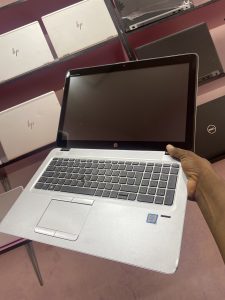
Prices are launch or reported prices from the sources listed at the end. Performance statements are vendor claims or general expectations unless stated otherwise; we ran no benchmarks.
Mac Studio with M5 Max: best value for serious local LLM work
Apple announced the new Mac Studio on August 25, 2026. The M5 Max version starts at $2,499 with an 18-core CPU, up to a 40-core GPU, a 36GB base memory configuration, up to 128GB of unified memory and 614GB/s of memory bandwidth, according to coverage that cites Apple’s announcement and The Verge’s pricing comparison. Apple also says Neural Accelerators sit inside every GPU core and that the M5 Max delivers up to 3.9 times the AI performance of the M4 Max in its own tests.
For most engineers who want to run mid-sized open models locally, test agents and fine-tune lightly, this is the sensible Apple pick. One reviewer put it bluntly: unless your work is bounded by how much model you can hold in memory, look hard at the $2,499 M5 Max first. Configure memory generously, because it is fixed at purchase.
Trade-offs: it runs Apple’s software stack rather than CUDA, and you must check that your tools and libraries support it. At 614GB/s it has far less bandwidth than the M5 Ultra.
Mac Studio with M5 Ultra: the largest models on a desk
The M5 Ultra version starts at $5,499 with 96GB of unified memory and scales to 512GB, 1.2TB/s of bandwidth, a 36-core CPU and an 80-core GPU. The 256GB and 512GB options are tied to the top chip configuration, and the 512GB configuration was due in late October 2026 with no published price at the time of our research. Apple claims up to 4.3 times the peak AI compute of the M3 Ultra, a vendor figure we could not verify, and says Thunderbolt 5 lets multiple Mac Studios be clustered for distributed inference, with software support required.
This is the machine for engineers who need very large models, long contexts or several models resident at once, and who want to avoid sending data to a third party. Its price is high, and it is overkill for most people. One comparison also notes that the previous M3 Ultra reached the same 512GB ceiling at 819GB/s of bandwidth and may be better value if you can still find new or refurbished stock; we did not verify its availability or price.
NVIDIA DGX Spark: the CUDA-native small box
DGX Spark is a compact desktop built around NVIDIA’s GB10 Grace Blackwell superchip, with a 20-core Arm CPU and 128GB of unified LPDDR5x memory at 273GB/s. It runs DGX OS, a tuned Ubuntu build with drivers, CUDA and container tooling preinstalled. NVIDIA says it can run inference on models up to 200 billion parameters and fine-tune models up to 70 billion, both at 4-bit precision.
It launched at $3,999 in October 2025; reports now put NVIDIA’s listed price at $4,699, and a reseller showed a 4TB PNY unit at $4,499. Its draw is that it brings the standard NVIDIA software stack, so code written for CUDA generally runs without a rewrite, along with networking designed to link units together.
Trade-offs: the 273GB/s bandwidth means generation speed is modest compared with discrete GPUs and Apple’s Ultra chips, and one outlet warns that early adopters may hit software friction as frameworks adapt to unified CPU and GPU memory. It is also an Arm Linux box, not a general-purpose laptop. Think of it as a prototyping and fine-tuning appliance that complements a laptop.
NVIDIA RTX Spark laptops: promising, but wait for reviews
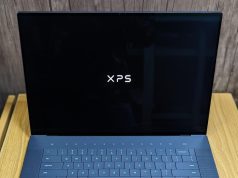
On October 16, 2026, NVIDIA announced that RTX Spark laptops were available globally from ASUS, Dell, HP, Lenovo, Microsoft and MSI, starting at $2,599. The launch lineup includes the ASUS ProArt P14 and P16, Dell XPS 16, HP OmniBook Ultra and OmniBook X 14, Lenovo Yoga Pro 9n, Microsoft Surface Laptop Ultra and MSI Prestige models. Each uses a single superchip that pairs a Blackwell RTX GPU with a 20-core Arm CPU designed with MediaTek and up to 128GB of unified memory, running Windows 11 on Arm, per NVIDIA.
NVIDIA claims up to 1 petaflop of FP4 AI performance, and an Acer-hosted explainer repeats NVIDIA’s statement that an RTX Spark machine can run a 120-billion-parameter model with a one-million-token context locally. Those are vendor claims on launch week, with no independent testing we could find. Two other cautions: reports describe two N1X variants, with the higher one supporting 24GB to 128GB of memory and a lower one only 24GB or 32GB, so the exact model matters; and Windows on Arm brings the same compatibility questions that Snapdragon laptops raise.
If you want a Windows laptop with CUDA and a large memory pool, this is the category to watch. For now, wait for independent reviews and test your own workloads before buying.
MacBook Pro 14-inch M5 Pro and 16-inch M5 Max: the best portable options
For engineers who need one machine that travels, Apple’s MacBook Pro remains the proven choice. The 14-inch M5 Pro starts at $2,199 with 24GB of memory configurable up to 64GB and up to 307GB/s of bandwidth. The 16-inch M5 Max starts at $3,899, supports up to 128GB of unified memory with up to 614GB/s of bandwidth and starts with 2TB of storage, per launch coverage from Tom’s Guide, AppleInsider and others.
The 16-inch M5 Max gives you the same 128GB ceiling as the Mac Studio M5 Max in a laptop, at a higher price and with the thermal limits of a portable. For cloud-first engineers who run small models locally, the M5 Pro with 48GB or 64GB is often enough. Both are sealed designs, so choose memory carefully.
A discrete NVIDIA GPU desktop: fastest CUDA, but expensive and capacity-limited
A desktop with a GeForce RTX 5090 offers the highest memory bandwidth in this guide at 1.79TB/s, and full CUDA, but only 32GB of memory. It suits training and fine-tuning smaller models, computer vision and workloads where throughput matters more than model size. The problem in 2026 is the market: as described above, prices and availability are erratic. We did not verify specific prebuilt systems, so if you go this way, price the whole build, confirm power supply and cooling requirements, and avoid buying from unverified third-party sellers at inflated prices.
For models larger than 32GB, you must quantize aggressively, split across multiple GPUs (which we did not verify) or choose a unified-memory machine instead. Professional cards with more memory, such as the 96GB RTX Pro 6000 Blackwell, were reported at about $16,000.
The budget path: a good laptop plus cloud GPUs
For many AI engineers the best computer is a reliable laptop, such as the MacBook Air M5 starting at $1,099 per Macworld, paired with rented GPU time for training and large-model work. We did not verify current cloud prices, but the logic is simple: if you train occasionally or work with models far larger than any desktop can hold, renting beats buying, and you avoid the memory-shortage premium on hardware.
Quick comparison
Figures are as reported by vendors and publications; none are our measurements.
| Machine | Memory | Memory bandwidth | Reported starting price | Software stack | Best for | Main trade-off |
|---|---|---|---|---|---|---|
| Mac Studio M5 Max | 36GB base, up to 128GB | 614GB/s | $2,499 | macOS, Metal, MLX | Local LLMs, agents, light fine-tuning | Not CUDA; memory fixed |
| Mac Studio M5 Ultra | 96GB base, up to 512GB | 1.2TB/s | $5,499 (512GB price unannounced) | macOS, Metal, MLX | Very large models, long contexts | Price; not CUDA |
| DGX Spark | 128GB | 273GB/s | $4,499 to $4,699 reported | Linux (DGX OS), CUDA | CUDA prototyping, fine-tuning | Slower generation; Arm Linux appliance |
| RTX Spark laptops | 24GB to 128GB by variant | Not verified | From $2,599 | Windows 11 on Arm, CUDA | Portable CUDA with big memory (unproven) | No independent reviews; Arm compatibility |
| MacBook Pro 14″ M5 Pro | 24GB base, up to 64GB | Up to 307GB/s | $2,199 | macOS, Metal, MLX | Portable general AI work | Memory ceiling; sealed |
| MacBook Pro 16″ M5 Max | Up to 128GB | Up to 614GB/s | $3,899 | macOS, Metal, MLX | Portable large-model work | Price; thermal limits of a laptop |
| RTX 5090 desktop | 32GB GDDR7 | 1.79TB/s | $1,999 launch; street prices far higher | Windows or Linux, CUDA | Fast training, vision, smaller models | 32GB cap; scarcity and price |
Which machine fits which AI engineer

These are hypothetical illustrations, not case studies.
The LLM application and agent developer. Mostly calls cloud model APIs, and occasionally runs open models locally to test or protect data. A MacBook Pro 14-inch with M5 Pro and 48GB or more of memory, or a Mac Studio M5 Max if you work at a desk, covers it.
The fine-tuning researcher who depends on CUDA. Needs CUDA libraries and moderate model sizes. A DGX Spark as a deskside box, or rented cloud GPUs, fits better than a Mac. A discrete GPU desktop is an option if you can buy at a sane price.
The privacy-first enterprise engineer. Cannot send data off-site and needs large models. A Mac Studio M5 Ultra with 256GB or 512GB, possibly clustered, is the most capacious option we found on a desk, though its software must support your workflow.
The student or early-career engineer. Needs a dependable laptop and access to GPUs on demand. A MacBook Air or similar laptop plus cloud notebooks is the efficient choice, and you avoid paying shortage prices for hardware you will outgrow.
The Windows-committed engineer who wants a portable CUDA machine. Watch the RTX Spark laptops, wait for independent reviews and test your toolchain on Windows on Arm before committing.
Software ecosystem: CUDA, Metal, Windows on Arm and Linux
CUDA. NVIDIA’s platform remains the default for deep-learning libraries. DGX Spark and discrete GPUs run it natively, and NVIDIA says RTX Spark runs it on Windows, with tools such as llama.cpp and ComfyUI supported, according to an Acer explainer repeating NVIDIA’s claims.
Apple Metal and MLX. Apple positions its chips for local AI with the MLX framework and Metal acceleration, and the Mac Studio announcement highlights LM Studio performance. General expectation: major frameworks, including PyTorch, can use Apple’s GPU, but coverage of specialized operations and third-party libraries varies, so test your stack.
Windows on Arm. RTX Spark and Snapdragon laptops depend on Arm builds of tools and drivers. Reviewers of Snapdragon machines have flagged compatibility as the main risk, and the same logic applies until RTX Spark is proven.
Linux. DGX Spark ships with DGX OS, an Ubuntu-based environment, and most server-side ML tooling is Linux-first. If you use Windows on a conventional PC, expect to rely on WSL2 for Linux workflows.
Rule of thumb: list the five libraries and tools you use most, then check each one against the platform you are considering before spending.
Power, cooling, storage and clustering
Power and noise. DGX Spark runs from a standard 240W power brick, per Techstrong, and is small enough for a desk. Desktop GPU cards draw far more power and need appropriate power supplies and airflow. Laptops throttle under sustained loads, so very long training or inference runs suit desktops better.
Storage. Model files are large, and you will keep many. We suggest at least 2TB if you work with local models regularly, though the right number depends on your usage; this is editorial guidance.
Clustering. Apple says Thunderbolt 5 and remote direct memory access let multiple Mac Studios share work, with up to 3 times faster distributed inference compared with one system, a vendor claim that requires software support. Reports also describe DGX Spark units linking over high-speed networking. Clustering adds cost and complexity, so treat it as an advanced option.
Local hardware or cloud GPUs
We did not verify cloud GPU prices, so use this framework instead of a cost table.
Buy local hardware when you use it most days, you handle sensitive data that cannot leave your premises, you want predictable costs, or you iterate constantly on inference and small fine-tuning.
Rent cloud GPUs when you train occasionally, need hardware beyond any desktop, want the newest data-center GPUs or need to scale up for a deadline.
Combine both. Many teams develop locally on a unified-memory machine and send heavy jobs to the cloud. In a year of memory shortages, renting also avoids buying hardware at a premium.
Buying advice and common mistakes
- Size memory to your largest regular model, not your average one. Add headroom for context and the operating system.
- Do not buy on peak specs. FP4 petaflops and bandwidth figures rarely translate directly into your workload.
- Avoid first-week purchases of new platforms. RTX Spark laptops launched a day before this research. Wait for independent reviews.
- Check software before hardware. A fast machine that cannot run your libraries is a poor buy.
- Be wary of scalper prices. Paying double for a GPU is rarely rational when cloud rental or unified-memory machines exist.
- Use return windows. Run your actual models, measure tokens per second and memory use, and return what does not fit.
- Remember the desk. A good monitor and ergonomic setup matter during long sessions; see our remote-work setup guide.
- Plan for price movement. Reports show prices rising on both GPUs and DGX Spark. Check live prices on the day you buy.
Frequently asked questions
What is the best computer for AI engineers in 2026?
There is no single answer. For local LLM work, the Mac Studio with M5 Max offers strong value, and the M5 Ultra offers the most memory. For CUDA-native prototyping, DGX Spark is the dedicated box. For portability, a MacBook Pro with M5 Pro or M5 Max leads, and RTX Spark laptops are worth watching once reviews arrive.
How much memory do I need to run LLMs locally?
As a rough guide, weights need about two bytes per parameter at 16-bit precision and about a quarter of that at 4-bit, plus room for context and overhead. A 70-billion-parameter model needs around 140GB at 16-bit, according to one analysis. Check your specific model and quantization.
Is a MacBook good for machine learning?
Yes for development, inference and light fine-tuning, especially with 48GB or more of memory. It is not a CUDA machine, so confirm your libraries support Apple’s GPU, and use the cloud for large training runs.
Is DGX Spark worth it?
It is worth considering if you need a CUDA-native, deskside machine with 128GB of memory. Its bandwidth is modest, prices have risen from the $3,999 launch price, and it is an Arm Linux appliance, so it suits prototyping and fine-tuning more than fast interactive generation.
Should I buy an RTX 5090 for AI?
Only if you need the fastest CUDA throughput on models that fit within 32GB and you can buy at a sensible price. In 2026, reported prices run far above the $1,999 launch figure, so compare against unified-memory machines and cloud rental first.
Do I need a GPU to learn machine learning?
Not necessarily. Many learners use laptops and cloud notebooks. A GPU becomes important when you train larger models regularly.
What are RTX Spark laptops?
They are Windows 11 on Arm laptops built on NVIDIA’s RTX Spark superchip, which combines a Blackwell RTX GPU and a 20-core Arm CPU with up to 128GB of unified memory. They launched on October 16, 2026 from $2,599, and we found no independent reviews yet.
Is unified memory better than VRAM?
It depends. Unified memory lets large models fit and avoids copying data between CPU and GPU, but dedicated GPU memory, such as the RTX 5090’s, can have much higher bandwidth. Capacity favors unified designs and speed on smaller models often favors discrete GPUs.
Should I buy hardware or rent cloud GPUs?
Buy if you use it daily, need data privacy or want predictable costs. Rent if you train occasionally or need hardware beyond a desktop. Many engineers do both.
The best computer for an AI engineer in 2026 depends on what you run, not on a spec sheet. If you mostly work against cloud models, a good laptop is enough. If you run models locally, memory capacity decides what you can do, memory bandwidth decides how fast it feels, and your software stack decides whether the machine works at all.
Apple’s Mac Studio line now offers the most memory on a desk, NVIDIA’s DGX Spark brings CUDA to a compact box, RTX Spark laptops may bring a similar idea to Windows, and discrete GPUs remain fastest on smaller models but costly and scarce.
Because prices are volatile and the newest products are unproven, verify current prices, wait for independent reviews of brand-new platforms and test your own workloads inside the return window. Explore more of our guides on Web3FuturePro.com to keep building a setup around how you actually work.
Sources
URLs below were returned during our October 17, 2026 research. Many are secondary or smaller sites; where a claim matters, verify it against Apple’s and NVIDIA’s own pages.
- 1. NVIDIA’s desk-size supercomputer puts big AI models within arm’s reach. Techstrong. DGX Spark specs, price at launch, vendor claims.
- 2. NVIDIA ships DGX Spark at $4K. Implicator. Bandwidth trade-off, 70B at 16-bit.
- 3. DGX Spark prices rise above NVIDIA list price. Digital Citizen.
- 4. NVIDIA DGX Spark complete guide 2026. toolhalla.ai (lower-authority).
- 5. NVIDIA DGX Spark PNY listing. AVADirect (retailer).
- 6. DGX Spark 64GB: specs, price and the cable to pair two. Petronella Technology Group (single source for the 64GB variant).
- 7. RTX 5090 prices in Europe have blown past 5,000 euros. TweakTown. RTX 5090 bandwidth, RTX Pro 6000 pricing.
- 8. RTX 5090 vanishes from US stores. Pasquale Pillitteri (lower-authority).
- 9. GPU prices 2026 analysis. tech-insider.org (lower-authority).
- 10. RTX 5090 and RTX 5080 shortages in 2026. macmyths.com (lower-authority).
- 11. Apple M5 Ultra Mac Studio launches. Guru3D.
- 12. Mac Studio 2026: Apple goes all in on local AI. TechRepublic.
- 13. New Mac Studio M5 Max and M5 Ultra price and specs. Gearlive.
- 14. Mac Studio M5 Max and M5 Ultra vs M4 Max and M3 Ultra. Macfixit Australia.
- 15. Apple gives Mac Studio the M5 Ultra and a $5,499 local AI pitch. Runtime Wire.
- 16. Mac Studio 2026 specs and US pricing. aicybr.com (lower-authority).
- 17. NVIDIA RTX Spark laptops launch worldwide. Unite.AI.
- 18. NVIDIA RTX Spark PCs available today. NVIDIA investor relations press release.
- 19. NVIDIA RTX Spark devices start shipping in October 2026. Digital Citizen.
- 20. What is the NVIDIA RTX Spark? Acer blog (repeats NVIDIA claims).
- 21. Reports put first NVIDIA RTX Spark PCs on track for October. Let’s Data Science.
- 22. MacBook Pro M5 Pro and M5 Max announced. Tom’s Guide.
- 23. MacBook Pro with M5 Pro and M5 Max arrive with few surprises. AppleInsider.
- 24. The MacBook Air has a new chip and a lower price, sort of. Macworld.