How to Verify What You See Online in 2026 is an Important Topic. For years, the advice for spotting a fake image was a list of tells: extra fingers, melted text, strange shadows. The research now says that advice no longer works.
In a University College London study of AI-generated faces, people’s overall accuracy was only 62%, none of the simple training interventions helped significantly, and, most worrying, their confidence was high and unrelated to whether they were right. A 2025 survey study reported by one security firm found that only 0.1% of 2,000 consumers correctly labeled every real and fake image and video they were shown.
That does not mean nothing can be verified. It means the method has to change: away from squinting at pixels and toward checking where something came from, who else confirms it, and what the technical signals say, while accepting that each signal has limits.
CHECK: Best Computers for AI Engineers 2026: Workstations & Laptops
This guide teaches that method. It covers images, video, voice, written claims and AI chatbot answers, explains the new provenance tools that launched in 2026 and what they cannot do, and gives you a practical routine you can run in 30 seconds, five minutes or half an hour depending on the stakes.
How this guide was researched
We used peer-reviewed or preprint research on human detection (the UCL study by Bray, Johnson and Kleinberg, and a 2026 literature overview), the OpenAI announcement on content provenance, the Content Credentials and SynthID tool pages as described in coverage, and a research paper on weaknesses in provenance systems. Where a figure reached us only through a secondary website, we label it. The verification method itself, including the stop-investigate-find-trace routine, comes from established digital-literacy practice, and we describe it as such.
Three limits matter. We did not test detection tools ourselves, so we describe what vendors and researchers report. Vendor accuracy claims are not independent evidence, and we flag them. And the field changes monthly, so check that a tool still works the way we describe.
Why your eyes are no longer enough
The evidence on human detection points one way, though the numbers vary by study and the findings are dated, because generators improve every few months:
• UCL (Bray, Johnson and Kleinberg). Participants judging 20 faces, half AI-generated, reached 62% overall accuracy. Accuracy varied from 85% to 30% across individual images, with fewer than 50% correct on one in five images, and confidence was high regardless of the image. None of the simple interventions they tested significantly improved accuracy.
• A 2025 iProov consumer study, as relayed by a security firm, reported that only 0.1% of 2,000 participants identified every real and fake item correctly. A February 2026 University of Florida study, also relayed secondhand, reported accuracy on fake face images at chance level. We could not verify either directly.
• Fakes can seem more trustworthy. A 2022 study by Nightingale and Farid, summarized in a 2026 research paper, found AI-synthesized faces were rated as both realistic and more trustworthy than real ones.
• There is some good news. The same literature notes that crowds informed by machine detectors perform better than either alone, and that one 2025 study found training improved accuracy and confidence relative to an untrained baseline. Detection is a moving target, not a lost cause.
The takeaway: do not rely on feeling that something looks fake or real. Use a method that does not depend on your eyes.
The verification ladder: 30 seconds, 5 minutes, 30 minutes
Match your effort to the stakes. A funny meme needs a glance. A message asking you to send money needs the full routine.
| Time | When to use it | What to do |
|---|---|---|
| 30 seconds | Anything you are about to share, or that triggers a strong emotion | Pause. Ask who posted it, whether it is the original, and whether any reputable outlet also reports it. If you cannot answer, do not share. |
| 5 minutes | Claims about events, people, health, money or elections | Check the account or site behind it, search for the claim with trusted outlets, run a reverse image search, and look for a Content Credentials label. |
| 30 minutes | Anything that could cost money, safety or reputation, or that you will publish | Trace to the original, contact the source, check metadata and provenance tools, use independent fact-checkers, and get a second pair of eyes. |
The four steps below are an adaptation of a widely taught approach developed by digital-literacy researcher Mike Caulfield (often abbreviated SIFT) that builds on the “lateral reading” habits of professional fact-checkers: leave the page and see what others say about it. We describe it from general knowledge of digital-literacy practice rather than from a source we opened for this article.
Step one: stop and ask what the claim is
Before checking anything, write down, in one sentence, the specific claim. “This photo shows a flood in Lagos today” is checkable. “Look at this crazy video” is not. Many fakes work by being vague about time, place and source.
Also notice your reaction. Fakes are designed to trigger anger, fear or excitement, because those emotions make people share without checking. A strong reaction is a signal to slow down, not a signal that the content is true.
Step two: investigate the source
Ask who is behind the post, not what it says.
• Check the account’s history. When was it created, what has it posted, and does it have a pattern of recycled content?
• Search for the person or outlet in a separate tab. Do independent sources describe them as real and credible? This is lateral reading: leave the page to learn about it.
• Beware lookalikes. Fake accounts copy names, logos and profile photos. Check handles and web addresses character by character.
• Check whether the “outlet” has contact details, named authors and an editorial policy. Anonymous, undated pages are a warning sign, whatever they claim.
• Understand the incentive. Does the poster sell something, collect money or gain from outrage?
Step three: find better coverage
Search for the claim itself, in your own words, on multiple trusted outlets. If an event is real and significant, credible reporters usually cover it. If only one unknown account has it, be cautious.
Useful habits:
• Search using neutral terms, not the post’s wording, so you do not just find copies of it.
• Look for named sources, on-the-record statements and primary documents.
• Check independent fact-checkers. In Africa, organizations such as Africa Check and Dubawa are examples that publish fact-checks, and fact-checking networks exist in many countries. Verify the current status of any organization before relying on it.
• Remember that absence is not proof. Breaking news may not have coverage yet. Say “unconfirmed” rather than “fake.”
Step four: trace it to the original
Most misleading content is not invented from nothing. It is old, edited or out of context. Trace it:
• Reverse image search. Upload the image to a reverse image search service, or use the search-by-image feature in your browser or phone, to find earlier appearances. A “new” photo that appeared in 2019 is not breaking news.
• Look for the earliest version. Higher-resolution originals, original captions and original posters often reveal the context.
• For video, check key frames. Take screenshots of distinctive moments and reverse-search them.
• Check the details against reality. Landmarks, signage, weather, language and clothing can contradict the claimed place and date. Tools such as maps and street-level imagery help.
• For quotes, find the full transcript or recording, not a clip.
Images and video: what tools can and cannot tell you
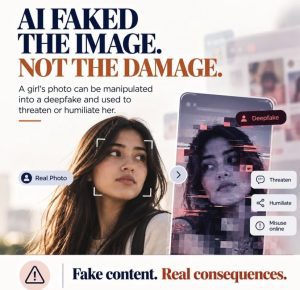
There are four kinds of defenses, which one industry overview groups as provenance records, invisible watermarks, detection classifiers and platform-level filtering. Each has strengths and blind spots:
| Method | What it does | What it cannot do |
|---|---|---|
| Provenance records (Content Credentials, built on the C2PA standard) | Attach a signed record of how a file was made and edited | Metadata can be stripped by screenshots or re-uploads, and a missing label proves nothing |
| Invisible watermarks (such as Google’s SynthID) | Embed a hidden signal in AI-generated media that can survive compression and screenshots better than metadata, according to one security firm | Only works for media from systems that add it, and Google’s own detector identifies only Google SynthID marks |
| Detection classifiers (vendor tools) | Estimate whether content looks AI-generated | Vendor accuracy claims, such as one tool’s cited 96% figure, are not independent evidence, and researchers show detectors can be fooled with tailored noise |
| Platform filtering and labels | Flags or labels content where you see it | Depends on the platform’s coverage and rules |
A 2026 research paper adds a warning: in a test pipeline, an AI-generated image could be passed through a compliant editing tool and emerge with a cryptographically valid Content Credential that asserts only a human editing action, while still carrying a watermark that marks it as synthetic. A viewer that reads only the manifest would label it human-edited. In other words, a credential tells you what someone claimed and signed, not what is true.
How to use detectors sensibly. Treat a detector’s output as one signal among several. A “likely AI” or “likely real” score should never be the only reason you believe or dismiss something. Combine it with source, coverage and trace checks, and be especially cautious about false positives on real content.
The new provenance tools: Content Credentials and SynthID

2026 brought the first real attempt to label AI media at scale. Here is what changed, with the caveat that several details reached us through secondary coverage and some features were announced as “coming.”
Content Credentials (C2PA). C2PA is an open standard, from the Coalition for Content Provenance and Authenticity, for attaching a signed record to a file that says how it was created and edited. According to a tracker summarized by one site, the specification reached version 2.3 in January 2026. OpenAI says its images carry Content Credentials and that it has made its provenance signals easier for other tools to recognize through C2PA conformance.
SynthID. SynthID is Google DeepMind’s invisible watermarking system. Coverage reports that on May 19, 2026 Google launched a public SynthID Detector portal that scans images, audio, video and text, and that OpenAI announced it would add SynthID to images from ChatGPT, its API and Codex, and joined the C2PA steering committee.
OpenAI’s own announcement says it is previewing a public tool that checks an uploaded image for Content Credentials and SynthID, and that the tool now also supports certain audio files.
Announced, not necessarily live. A site summarizing Google I/O 2026 says C2PA verification and SynthID detection are “coming” natively to Google Search and Chrome, that Pixel phones will embed C2PA in video, and that Instagram will show automatic labels. Check whether these features are live where you are before relying on them.
What these tools can and cannot do.
• They can confirm that a file came from a participating generator, or that a signed edit history exists.
• They cannot prove an image is real, because most fakes will not carry a label, and a missing credential proves nothing.
• They are limited by coverage. Google’s detector identifies only Google SynthID watermarks, and OpenAI’s checker covers OpenAI’s own outputs.
• They can be stripped or spoofed. Metadata disappears with screenshots and re-uploads, and, as the research above shows, a credential can be technically valid while saying something misleading
.
• They are one signal. Use them alongside source, coverage and trace checks.
How to check a file. Look for a Content Credentials label or icon where the platform supports it, try a public verification tool such as the Content Credentials Verify service (we did not open it for this article), and treat “no credential found” as unknown, not as “fake” or “real.”
Voices, video calls and payment requests

The highest-cost fakes are the ones that ask you to act: transfer money, share a code, change a bank detail. Voice cloning and fake video calls can make such requests sound and look legitimate. We did not verify statistics on these scams for this guide, so the advice below is general, but it is consistent with the research that detection by ear and eye is unreliable.
Rely on process, not perception.
• Call back on a number you already have, not one supplied in the message.
• Agree a code word with family members or close colleagues for emergency requests.
• Use two-person approval for payments and bank-detail changes in organizations, no matter who seems to be asking.
• Treat urgency and secrecy as red flags. “Do not tell anyone” and “do it right now” are standard pressure tactics.
• Verify through a separate channel. If a video call asks for money, end it and confirm using a different method.
• Do not rely on “liveness” tricks such as asking someone to turn their head. Generators improve quickly, and such checks are weak compared with calling back.
AI chatbots and written claims

Verification applies to text too, including text from AI assistants. The assistant that helped draft this article can make mistakes, and so can every other chatbot. Common problems include invented sources, outdated figures and confident wrong answers.
• Open every cited source and check that it says what the answer claims. Do not trust a citation you have not read.
• Check dates and numbers against a primary source, such as a regulator, a statistics office or the original study.
• Ask for the source, then find it yourself. If the assistant cannot point to a real page you can open, treat the claim as unverified.
• Cross-check with a second source that does not simply repeat the first.
• Be extra careful with quotes, legal and medical claims, and recent events.
• Use AI for leads, not for proof. It is a useful starting point for what to check.
Crypto and Web3: where fakes meet money

In Web3, a fake can cost irreversible money in minutes. This is general guidance, building on our crypto wallet security guide:
• A video of a famous founder promising a giveaway or guaranteed returns is a scam until proven otherwise. Real projects do not double your coins.
• Take contract addresses, links and announcements from the project’s official website or documentation, reached by typing the address yourself, not from social media replies or direct messages.
• Verify support staff. Real support does not ask for your seed phrase and does not contact you first.
• Check domains character by character. Lookalike sites and fake wallet pages are the standard delivery route for drainers.
• Be wary of “investment advice” from accounts that appeared recently or have thousands of identical replies.
• For wealth claims about founders, see our guide to how net worth is calculated, which applies the same “who estimated it, on what date” test.
For publishers and creators: how to be a trustworthy source
If you publish content, the best defense against being mistaken for a fake is to behave like a verifiable source:
- Name your sources and date your facts. Link to primary documents where you can.
- Disclose AI use in drafting or image creation, and say who checked the content.
- Keep originals. Retain source files and notes in case someone challenges your work.
- Use provenance features such as Content Credentials where your tools support them, and label AI-generated images clearly.
- Correct errors visibly. See our Corrections Policy and Editorial & Fact-Checking Policy.
- Avoid false precision. An exact number with no source is a red flag, on other sites and on yours.
Three worked examples
These are hypothetical illustrations, not real incidents.
1. The viral flood photo. A dramatic image of floodwater in a city street is shared with the caption “Happening now.”
• 30 seconds: Who posted it, and is it the original? An anonymous account with no history is a warning.
• 5 minutes: Search for the event with trusted outlets. Run a reverse image search. If it appeared in 2021, it is old.
• 30 minutes: Check landmarks and signage against maps, look for a Content Credentials label, and see whether a fact-checker has covered it.
• Verdict wording: “Unconfirmed” until you find a reliable source, and “misattributed” if it is old.
2. The voice note from “the boss.” An employee receives an audio message that sounds like a senior manager, asking for an urgent payment to a new supplier.
• Do not respond in the message thread.
• Call the manager on a known number, and follow the company’s two-person approval rule.
• Report it to security, because the same message may have gone to others.
3. The “net worth” page. A website states that a startup founder is worth exactly $42,317,000.
• Who estimated it, and on what date? There is no source.
• Is the person on a billionaire list? If not, no mainstream tracker publishes a figure.
• Verdict: unverifiable. Use only documented facts, such as filings and funding announcements.
Myths and facts
| Claim you may see | What the evidence says |
|---|---|
| “I can spot an AI image by the hands.” | Studies find human accuracy near chance for realistic fakes, and confidence does not track accuracy. |
| “An AI detector will tell me the truth.” | Detectors give probabilities, vendor claims are not independent, and detectors can be fooled. |
| “If it has a Content Credential, it is real.” | No. A credential shows a signed claim, and research shows it can be valid yet misleading. |
| “If it has no credential, it is fake.” | No. Most real media carries none, and metadata is often stripped. |
| “A watermark detector works on everything.” | No. Google’s detector identifies only Google’s SynthID marks. |
| “Fakes are only a celebrity problem.” | Fakes are also used for fraud, harassment and impersonation of ordinary people and managers. |
| “AI chatbots are reliable fact-checkers.” | They are useful for leads but can invent sources and facts. Verify everything. |
Frequently asked questions
Can people still tell AI images from real ones?
Often not. In the UCL study, overall accuracy was 62%, ranging from 30% to 85% by image, with high confidence regardless of accuracy. Other studies report chance-level performance on realistic fakes. Use a method, not a feeling.
What is a reverse image search?
A service that finds where else an image appears online, helping you see whether it is older or from a different event. You can use it through your browser or phone’s search-by-image feature.
What are Content Credentials?
A signed record, based on the C2PA standard, that describes how a file was created and edited. They help when present, but they can be stripped and a missing credential proves nothing.
What is SynthID?
An invisible watermark that Google DeepMind embeds in AI-generated media. Google’s detector identifies only Google’s watermarks, and OpenAI said in May 2026 that it would add SynthID to its images.
Can AI detectors be trusted?
As one input among several. Vendor accuracy claims are not independent, and researchers have shown detectors can be fooled by tailored noise or give false positives on real content.
How do I verify a video call or voice message?
Do not rely on how it looks or sounds. Hang up and call back on a number you already know, use a code word for emergencies and require a second approver for payments.
How do I check if an AI chatbot answer is accurate?
Open every cited source, check numbers against primary documents and cross-check with another independent source. Treat the answer as a lead, not proof.
What should I do if I shared something false?
Correct it publicly where you shared it, delete or label it, and share the correction as widely as the original. Being quick and clear builds trust.
Where can I find fact-checkers?
Many countries have fact-checking organizations. Africa Check and Dubawa are examples that cover African claims, and international fact-checking networks list others. Check each organization’s current status and methods.
Is a blue check or a verified badge proof of authenticity?
No. Badges can be purchased or spoofed on some platforms. Check the account’s history and cross-reference it with independent sources.
The uncomfortable lesson of 2026 is that your eyes and ears are no longer reliable detectors, and your confidence in them is the wrong guide. The better lesson is that verification was never mainly about pixels. It is about source, corroboration and origin, supported by new tools that help but do not settle the question. Pause, ask who is behind it, look for independent confirmation, trace it to the original and treat any credential or detector as one signal, never the verdict.
For anything involving money or safety, rely on process: call back, use a second approver, and take official links from official sites. And if you publish, make your own work verifiable: name sources, date facts, disclose AI use and correct mistakes in the open. Check the sources below and update your own methods as the tools evolve.
Sources
URLs below were opened or returned during our November 7, 2026 research. Secondary and vendor-linked pages are labeled; verify key figures before quoting.